All posts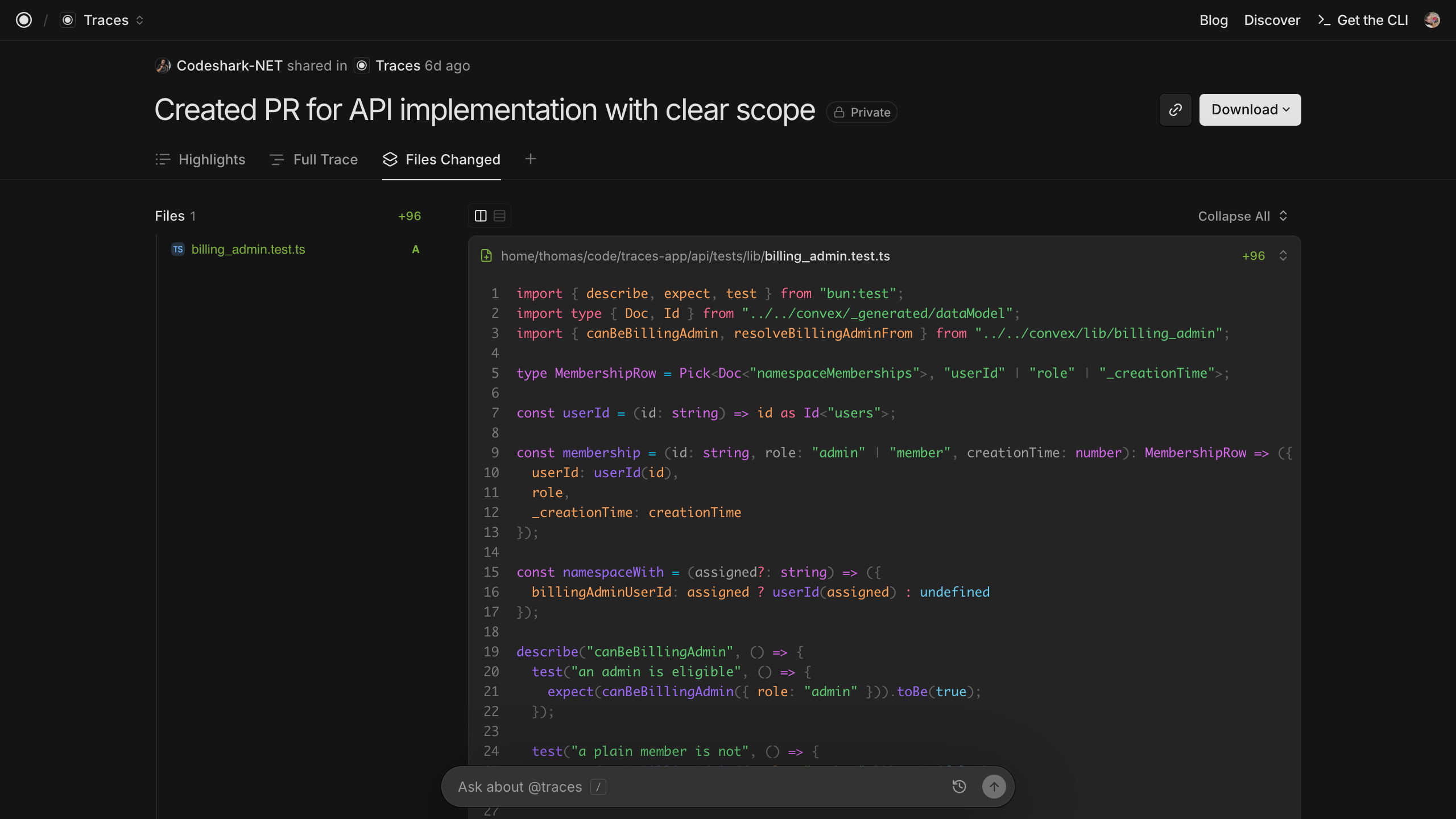
Introducing Surfaces on Traces
Traces Team
4 min readToday we're launching Surfaces on Traces, a new way to visualize your session activity, available for all traces.
Surfaces are purpose-built, interactive visualizations of your existing traces. Each trace can carry it's own set of surfaces that re-interpret your agent session as tokens spent, files changed, skills invoked, and more. Add a surface to any of your traces to see that trace from a completely different angle.
Why we built Surfaces
A trace is more than a log of what an agent did. It's a record of how work actually happened in your org: the decisions, the dead ends, the files touched, the skills invoked, the reasoning behind each step. That context is some of the richest documentation your team produces, and most of it usually evaporates the moment a session ends.
As we hand more and more of our work to agents, we can't afford to treat that record as a black box. We need real ways to interrogate how our agents are working. Surfaces exist to make that interrogation easy: each one takes the same underlying trace and reframes it to answer a specific question, so understanding an agent's work is a matter of switching tabs.
We're launching with a set of four core surfaces, designed to give you insight into files, skills, tokens, and security.
Files Changed
By the end of a session, an agent's edits are scattered across dozens of tool calls, in no particular order. The Files Changed surface pulls them back together into a proper code review. It extracts every file change from the trace and renders a navigable file tree next to syntax-highlighted diffs.
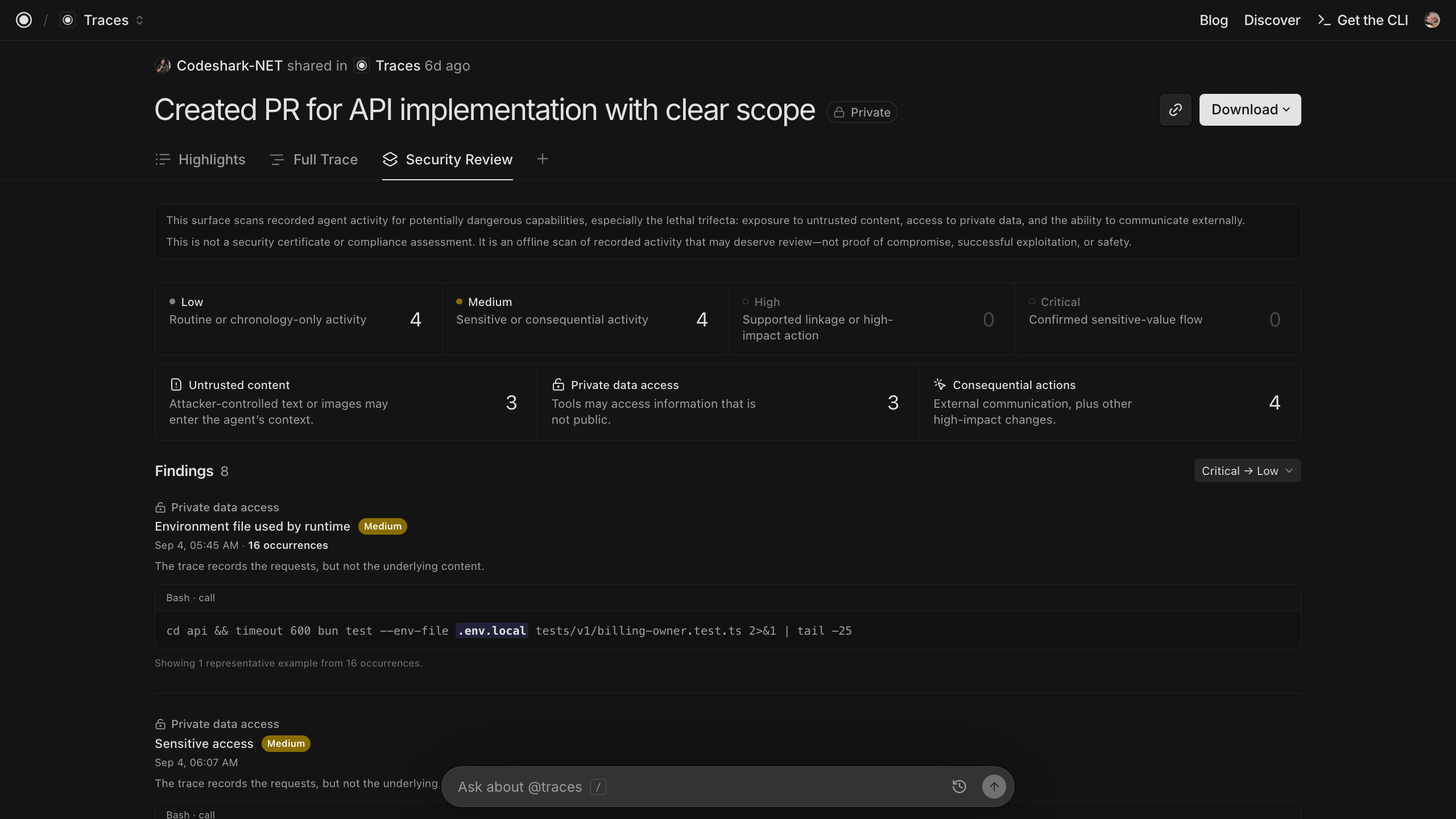
Security Review
Not every risky move an agent makes is obvious in the moment. Agents often interact with things worth watching: data it read, secrets it had access to, and actions it took in the outside world. The Security Review surface turns a single trace into a deterministic, offline security audit of your session.
Security review is organized around the lethal trifecta, which is the three pronged risk structure set out by Simon Willison:
- Untrusted inputs. Content the agent pulled in that it shouldn't blindly trust.
- Sensitive access. Secrets, credentials, and private data the session touched.
- Consequential actions. Writes to repositories, external calls, and other real-world effects.
Any one of these alone is usually fine. The danger is when all three line up in the same session. Security Review highlights those correlated flows as their own findings, so you can see when the trifecta comes together.
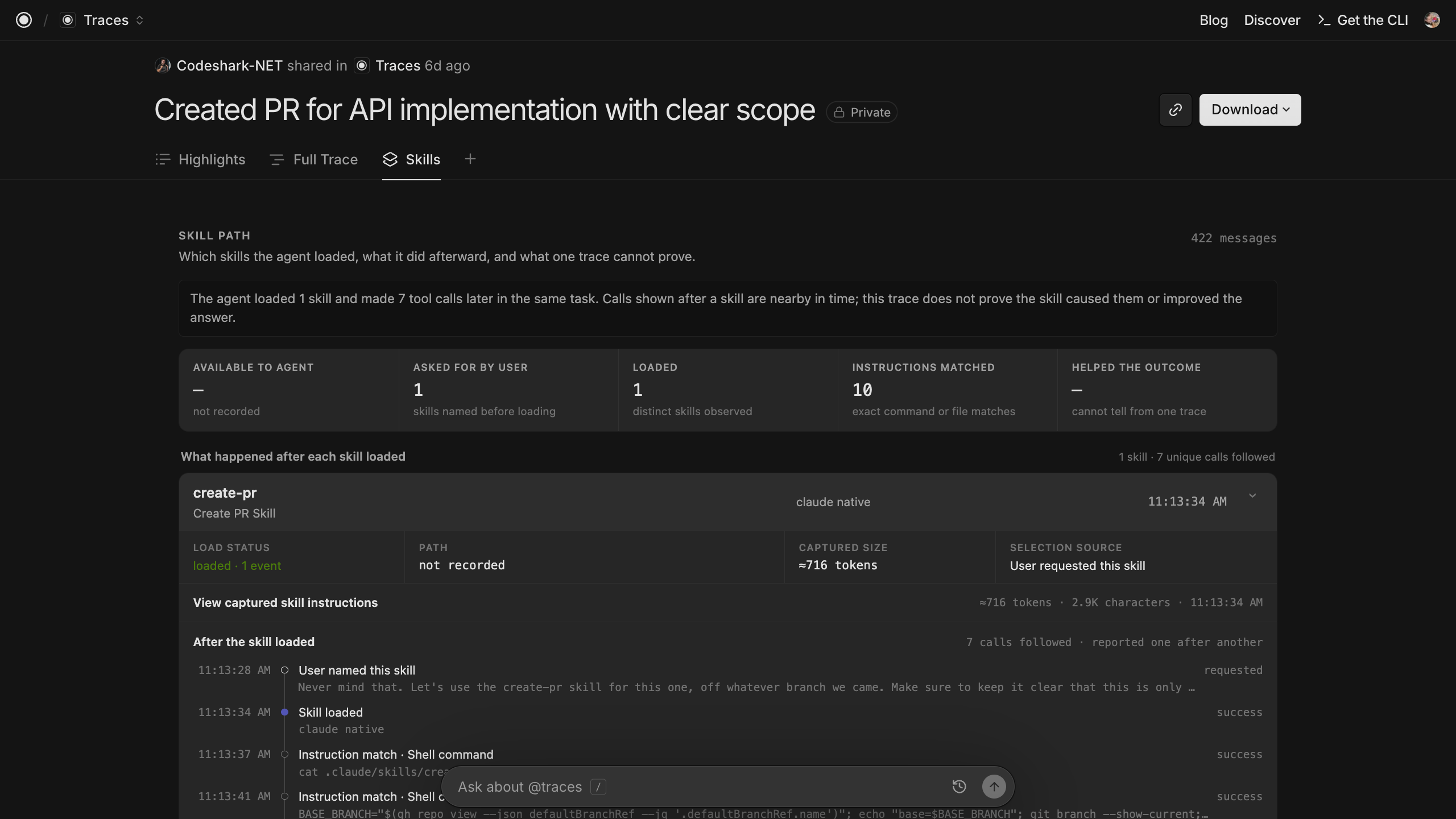
Skills
Skills quietly steer a run from the background, and by the time work is done it can be hard to say which ones actually mattered. The Skill surface lays that out as a timeline: which skills were loaded, where each one entered the trajectory, and how big the captured instructions were. It finds skill instructions and their related tool calls, estimates the instruction size each one added, and gives you expandable source evidence so you can see exactly what the agent was told.
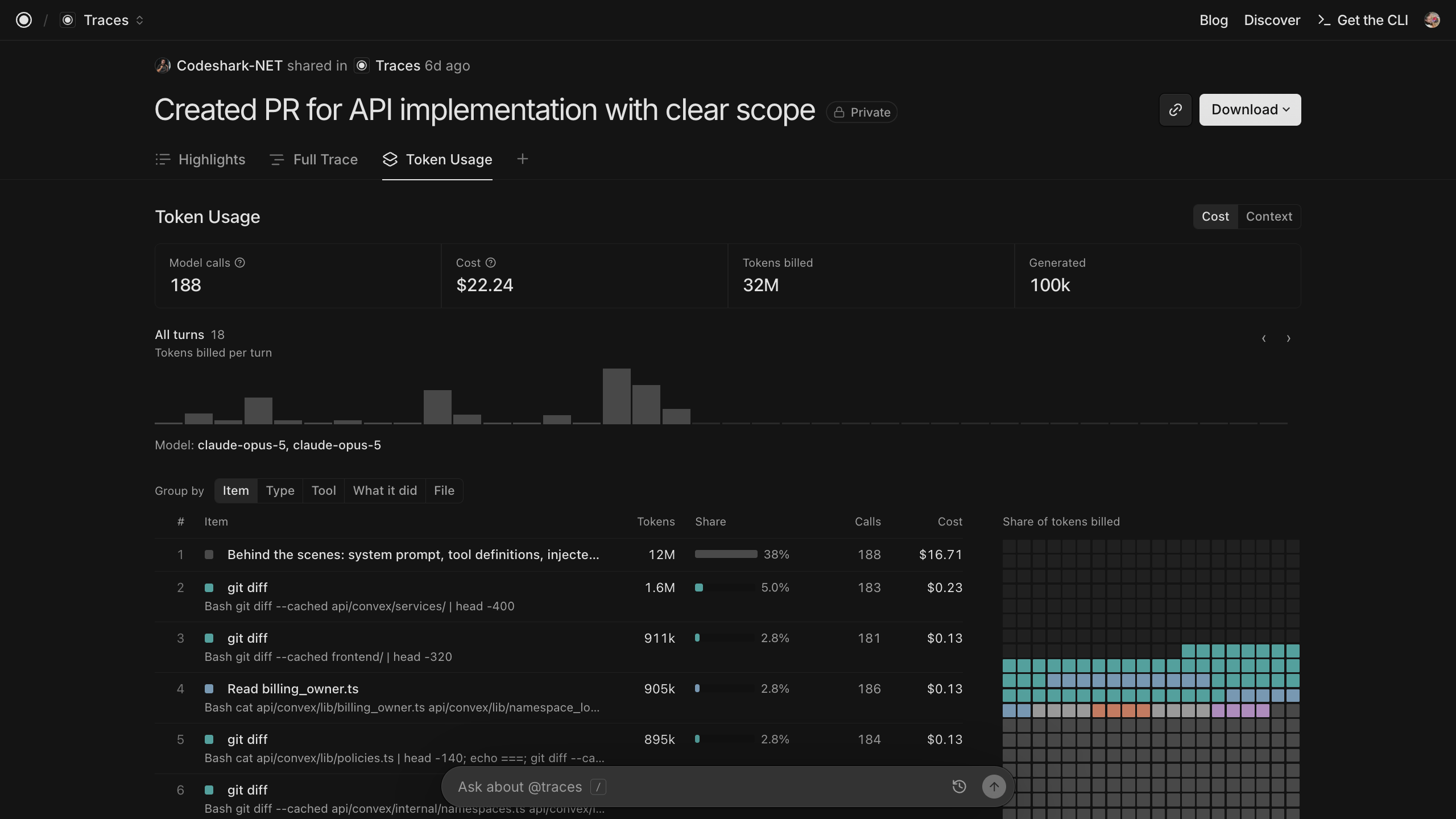
Token Usage
Where did my tokens go?" is the question this surface answers. The Token Usage surface turns a trace into an itemized bill: it reconciles the model's own reported usage against the estimated size of everything visible in the trace, then shows you the breakdown as line items.
How we built Surfaces
A surface is a single-self contained HTML file that renders one trace however you want: a timeline, a file, change map, diagram, session replay.
The whole API is one call, which resolves once with the entire trace projection. There's no way to ask for more data, no way to network, no cookies. Data is pushed to the surface over a private channel; it never requests anything.
The Surface sandbox is strict by designe. The iframe is sandbox="allow-scripts" without allow-same-origin. The CSP is default-src 'none'; connect-src 'none', and the trace data flows only over a private MessageChannelneverwindow.postMessage`.
A broken surface can never break the trace viewer: every failure path: unknown key, archives, incompatible SDK, integrity mismatch, handshake thimeout, falls back to the normal trace with a banner.
Adding and Sharing Surfaces
To add a surface to any of your traces simply click the + next to Full Trace the menu bar will appear, and you can select the surface you want. Surfaces don't persist across views so, when you navigate away from that trace and return to it simply re-add the Surface if you'd still need the view. Each Surface has a URL so you can link a team member to a surface that you've generated.
Coming Next
As we continue to build Surfaces we've planned two immediate fast follows. First, we want to enable Individuals and Teams to create and upload their own Surfaces. You'll be able to use them just for your traces or to make them publically available for others to use. Second, the ability to build a Surface with insights from multiple traces. You'll hear more from us on both of these soon.
In the meantime, explore surfaces on any trace at traces.com